Editor Overview
On this screen you can fill out the basic information for your next query, like which database you want to work with, what are the description and tags, and the accessibility of your query.
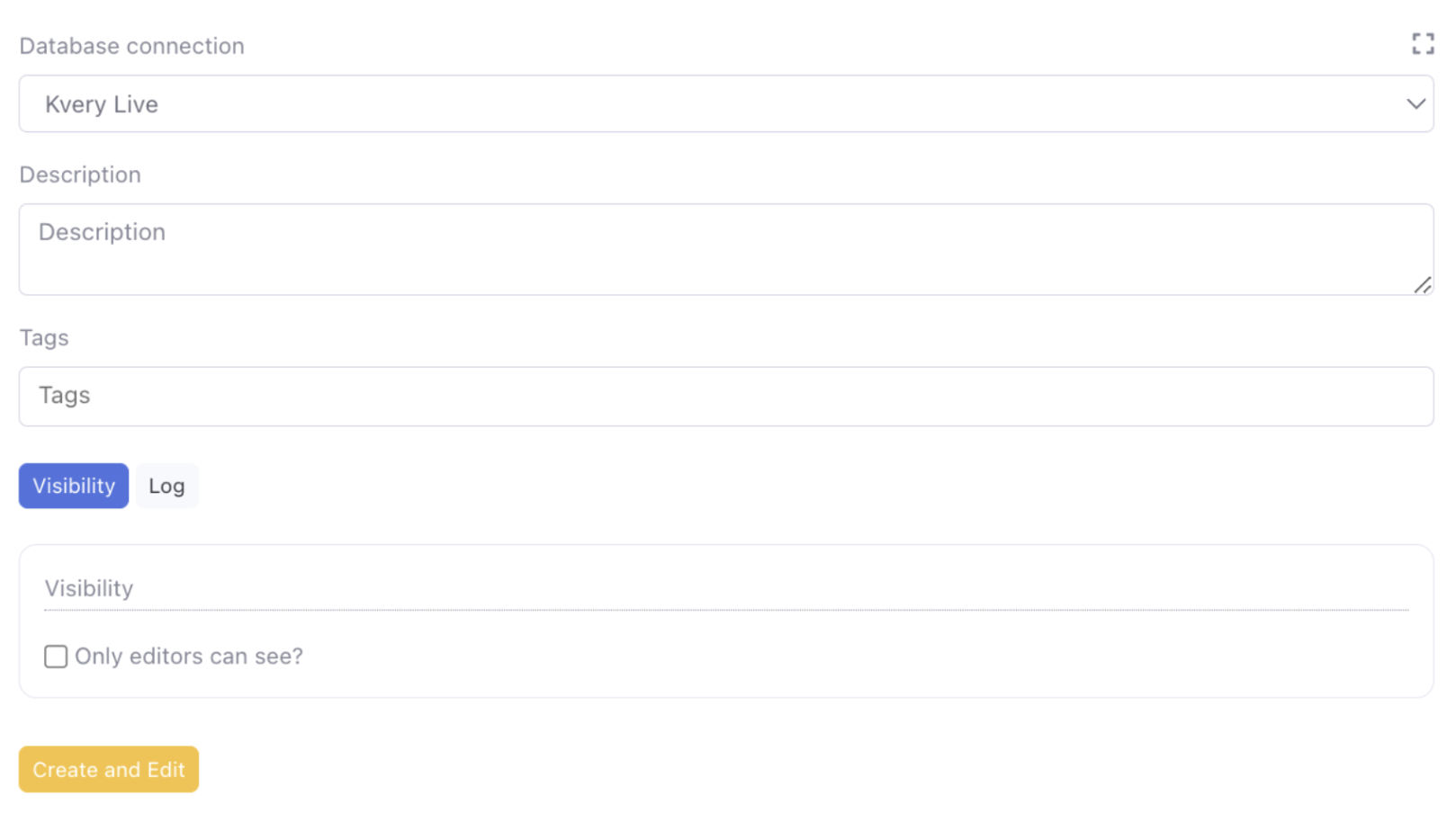
Once you create a new query, you'll be taken to a screen that serves as the primary interface for editing.
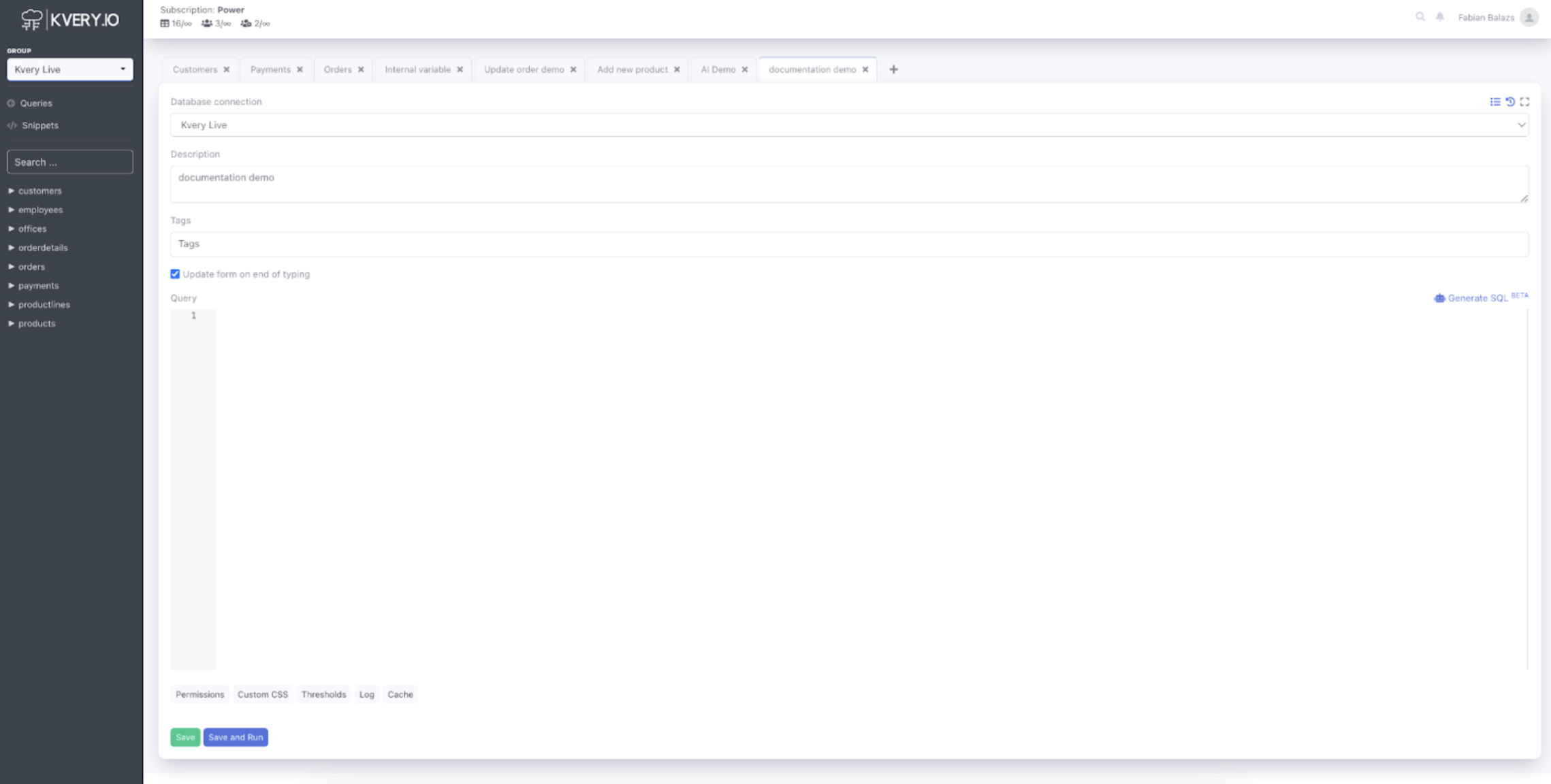
At the top, you'll find essential details related to your work, such as the database connection, description and tags of your query.
On the left side, the structure of your database is displayed, greatly facilitating your workflow by eliminating the need to access your database through a separate interface.
The central part of the screen hosts the editing field, where you can input and modify your code. Below this area, you'll find a series of bottom menu options, which will be covered in more detail later in this documentation here.
Also we are excited to introduce you to our AI feature, with which you can generate SQL code straight from text. More about that here.